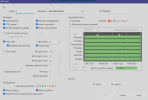
I have just bought a copy of BlueIris and I am trying to get a couple dozen Reolink RLC-811a and Trackmix POEs setup. The First Issue I ran into is that when adding the Trackmix POE (Latest Firmware) cameras to the site. it does not fully configure itself. I can see it, I can Zoom. but I can't get the PTZ to work. I used this Youtube to set it up as a setup aid. At 2:53 seconds in the video there is a Sub profile you are supposed to be able to select in the pull down during the initial setup in BlueIris.
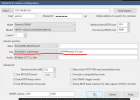
I am not seeing it on the Trackmix POE but I am with the RLC-811s. The other thing I noticed is that when the camera is being added/ inspected, its says Requesting Device Information it gets a bad Response.
The camera has all the network settings as well
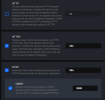
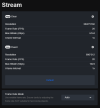
In the Reolink camera settings and the Reolink DVR its functioning fine. All the PTZ controls work.
Its only in the BlueIris software I seem to be missing something. If I ignore the error, I can see and zoom on the camera. I cannot however control the camera movement like I can everywhere else :/
I have in the camera setting of Bluiris I have enabled the PTZ tab as well by checking the box
What is the Noob doing wrong?
Help me OB1 or Mister Wizard you are my only hope
I am not seeing it on the Trackmix POE but I am with the RLC-811s. The other thing I noticed is that when the camera is being added/ inspected, its says Requesting Device Information it gets a bad Response.
The camera has all the network settings as well
In the Reolink camera settings and the Reolink DVR its functioning fine. All the PTZ controls work.
Its only in the BlueIris software I seem to be missing something. If I ignore the error, I can see and zoom on the camera. I cannot however control the camera movement like I can everywhere else :/
I have in the camera setting of Bluiris I have enabled the PTZ tab as well by checking the box
What is the Noob doing wrong?
Help me OB1 or Mister Wizard you are my only hope