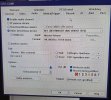
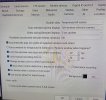
Please forgive the photos of a screen; it's from a server not connected to the internet.
I would really appreciate help with how to properly connect an audio interface connected to Windows to a camera in Blue Iris. Blue Iris version is 6.0.1.6. I'm very new to using Blue Iris.
I would be eternally grateful for any help!
I would really appreciate help with how to properly connect an audio interface connected to Windows to a camera in Blue Iris. Blue Iris version is 6.0.1.6. I'm very new to using Blue Iris.
- The mic and interface works in Windows, I'm receiving audio.
- The mic shows up as selectable under Other DirectShow devices.
- The camera I assign the mic to does NOT allow me to select "Play Live Audio" when I right click it, and does not seem to be transmitting audio when viewed in Blue Iris/the web UI.
- If I enable the built in-mics on the cameras (Reolink RLC-820a), audio is transmitted and works fine (but without being the mic I want to use).
I would be eternally grateful for any help!