
Empire Tech PTZ SD4A425DB-HNY User Interface Firmware Update Question

Kitsap

Getting the hang of it
Jun 24, 2016
145
85
Pacific Northwest
Andy,

I purchased two of the SD4A425DB-HNY cameras from your Amazon store in July of 2023. They have worked well after initial setup. Several months ago, I noticed problems while viewing the video from the user interface. Any window sized less than full screen was black. If I double-click the window to full screen I can see the image. Normally I use Microsoft Edge for a browser but have the same problem with either Chrome or Firefox. I do have the plugin installed, websocketserver.exe. As near as I can tell, it is version 5.0.412649.0.
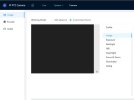
Front Camera Video - Screenshot 2025-12-22 090358 (Small).jpg

I recently noticed a new firmware was available for installation through the user interface.
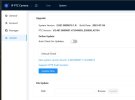
New System Version Found - Screenshot 2026-01-14 094033 (Small).jpg

I have not installed the new firmware. Need to check with you to see if the new firmware would resolve the video viewing problem?

Is there a newer web socket server included with the new firmware?

Are there any particular problems with the new firmware?

Please advise.
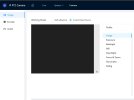
 

Attachments

  • Front Camera Video - Screenshot 2025-12-22 090358.jpg
    Front Camera Video - Screenshot 2025-12-22 090358.jpg
    81.2 KB · Views: 5
The PTZs seem to be way more fussy about browsers.

The firmware was designed around Internet Explorer and using that should take care of your problems.

Yeah, we know, but it is still native to Windows just hidden and will be for a long time.

How to enable native Internet Explorer in Windows 10 and 11:
  • Open Notepad:
    • Copy then paste the single line of code below into Notepad:
    • CreateObject("InternetExplorer.Application").Visible=true
    • Save as OpenIE.vbs
  • Make sure the the file name ends in .vbs not .txt, If it ends in .txt you must rename to .vbs
  • Create a shortcut to the above file and double-click it anytime you want native Internet Explorer.
 
The PTZs seem to be way more fussy about browsers.

The firmware was designed around Internet Explorer and using that should take care of your problems.

Yeah, we know, but it is still native to Windows just hidden and will be for a long time.

How to enable native Internet Explorer in Windows 10 and 11:
  • Open Notepad:
    • Copy then paste the single line of code below into Notepad:
    • CreateObject("InternetExplorer.Application").Visible=true
    • Save as OpenIE.vbs
  • Make sure the the file name ends in .vbs not .txt, If it ends in .txt you must rename to .vbs
  • Create a shortcut to the above file and double-click it anytime you want native Internet Explorer.
Thank you for the reply. I will give the Internet Explorer option a try tomorrow. I do not go in to the user interface often, so it should get the job done.

What about updating to the newer firmware?
 
This plugin works for me in chrome, looks like it is newer than what you have.
 
  • Like
Reactions: Kitsap
This plugin works for me in chrome, looks like it is newer than what you have.
I am running Windows 11 Pro on a Dell machine. After creating a restore setpoint, I installed the newer web socket server from the link you provided. PROBLEM SOLVED!

Runs fine on Edge and reasonably well on Firefox.

Thank you!
 
  • Like
Reactions: swoozle
Still an open question on updating to the newer firmware. I am inclined to leave well enough alone. Would still like to have some feedback from users that have updated.
 
Most here don't fix what ain't broke and only update if the firmware release notes indicate it fixes a problem they have. If yours is working, leave it alone.

I haven't updated mine in years.