BI not talking to CPAI

xexitenglishx

Young grasshopper
Jul 4, 2015
32
4
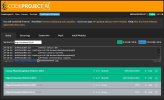
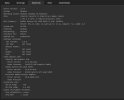
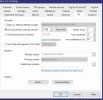
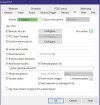
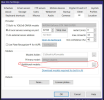
Between one of the recent BI updates my CPAI stopped working all together. It appears that BI is not sending images to CPAI at all (see attached screenshots). BI says AI is online. I tried setting it to both local install and remote (using local IP address). Both options made no changes. I uninstalled CPAI and the cuda drivers and followed the process of reinstall with first enabling Yolo5 then copying over the json and installing YOLO11. Both Yolo5 and Yolo11 make no difference. Up until now i have never had an issue with CPAI or BI and my notifications and AI analysis always worked.

Does anyone have any suggestions?
 

Attachments

  • CPAI01.JPG
    CPAI01.JPG
    69.2 KB · Views: 20
  • CPAI02.JPG
    CPAI02.JPG
    48.5 KB · Views: 21
  • BIAIsettings.JPG
    BIAIsettings.JPG
    73.2 KB · Views: 19
  • BIAICAMsettings.JPG
    BIAICAMsettings.JPG
    65.9 KB · Views: 20
Between one of the recent BI updates my CPAI stopped working all together. It appears that BI is not sending images to CPAI at all (see attached screenshots). BI says AI is online. I tried setting it to both local install and remote (using local IP address). Both options made no changes. I uninstalled CPAI and the cuda drivers and followed the process of reinstall with first enabling Yolo5 then copying over the json and installing YOLO11. Both Yolo5 and Yolo11 make no difference. Up until now i have never had an issue with CPAI or BI and my notifications and AI analysis always worked.

Does anyone have any suggestions?
You can try to load models in Camera AI tab: click the box with three dot of "Additional models" then select all models.
 
You can try to load models in Camera AI tab: click the box with three dot of "Additional models" then select all models.
On BI 6.0.1 for my system, I have to use the Overide server option and it should start seeing CPAI again. Also, make sure on the GEAR icon setting, for AI, you check the Use AI server on port 127.0.0.1 using port 32178 which is the normal setup for external CPAI.
 
Thank you Mike! I think that was it. I didn’t know I had to manually type in ipcam-general and hit add. Once I did that it seems like cpai is getting the info now. Is this something new? Weird thing was it was working in v6 then just stopped after one of the recent updates. I’ve been going crazy for a few days now and dying without my alerts
 
Yup that was it Mike! I wish there was some better explanations in the pdf. I guess bi has to update it with v6. Also maybe I’ll catch you on my lpr. I’m right across the Verrazano haha