Alert Action using sub-stream image so poor resolution

exp1k1

n3wb
Jun 7, 2020
8
0
London
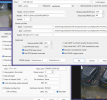
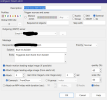
I currently have an 'Alert' option in BI (Ive been using BI for ~5 years), but recently have updated to the latest version and it seems to have messed with my config somewhere.... I use an external trigger (smart home based) to trigger BI through a URL to send me an email with a collection of photos when somebody rings my doorbell. Previously I didnt use sub-streams but now I think it has found them for my camera. Whenever I receive these alert images the picture is tiny - so I assume it is using the sub-stream rather than the main one. I cant for the life of me find any setting related to the image quality and coming from main stream.... I dont record images and they are only used from the Alert. Any support very much appreciated as I feel Ive gone round in circles!
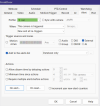
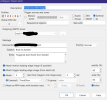
1770995721935.png

1770996452000.png

1770996489563.png
 

Attachments

  • 1770995581096.png
    1770995581096.png
    348.3 KB · Views: 2
  • 1770995654417.png
    1770995654417.png
    116.8 KB · Views: 2
Last edited:
I currently have an 'Alert' option in BI (Ive been using BI for ~5 years), but recently have updated to the latest version and it seems to have messed with my config somewhere.... I use an external trigger (smart home based) to trigger BI through a URL to send me an email with a collection of photos when somebody rings my doorbell. Previously I didnt use sub-streams but now I think it has found them for my camera. Whenever I receive these alert images the picture is tiny - so I assume it is using the sub-stream rather than the main one. I cant for the life of me find any setting related to the image quality and coming from main stream.... I dont record images and they are only used from the Alert. Any support very much appreciated as I feel Ive gone round in circles!
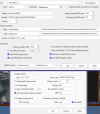
View attachment 238121

View attachment 238123

View attachment 238124

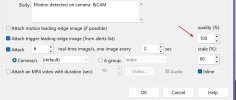
Maybe try upping the quality. I just tested mine on 6.0.2.2 and it works fine using gmail.

Screenshot 2026-02-13 094842.jpg
 
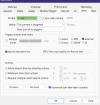
The problem is that the resolution is scaled from the sub-stream resolution. Hence (in my image above) Im set to 60% scale, and the images come through at ~400pixels wide. Obviously I can up this to 100%, but that just gives me 640px wide....
 
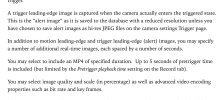
Thanks for these thoughts, sub-stream resolution was sadly limited by the camera so that option was out. However enabling 'record images' does seem to change the images that the Alert process sends out. So whilst its a bit annoying to now have a store of these images (strangely it only lets me store the JPGs in New/Stored, and not in an 'Alerts' folder... :facepalm:) it does seem that it works so long as I add it to the alerts list with the JPG files. Strangely if I dont add it to the alerts list then it goes back to sending the substream images! Very strange!
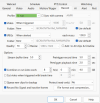
1771023640151.png

1771023526744.png
 
I guess another option is to create a duplicate of the camera with no substream (that does nothing except for these externally triggered alerts), but seems like it will be wasteful of resources?