Just upgraded to v6. Went very smoothly - thank you Blue Iris.
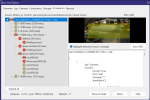
On the master settings page for AI, I changed the provider from local service on port 32168 to Built-in models. Is that all I need to change to enable the new AI? The button for "Open AI Dashboard" doesn't do anything anymore.
With the old AI, I could open a browser window that showed me what the AI server was doing. Is there a way to do that with the built-in AI? T
On the master settings page for AI, I changed the provider from local service on port 32168 to Built-in models. Is that all I need to change to enable the new AI? The button for "Open AI Dashboard" doesn't do anything anymore.
With the old AI, I could open a browser window that showed me what the AI server was doing. Is there a way to do that with the built-in AI? T