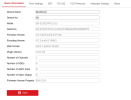
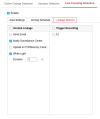
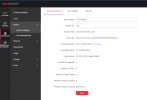
I have a DS-2CD1047G2H-LIUF and I want the built-in white LED to turn on when motion is detected during the day, as a visual deterrent.
Before anyone says "that's not what the light is for" or "you need the /SL model for that" - I'm fully aware. I know the white LED is designed as a supplement light for ColorVu night imaging, not as an alarm strobe. I know the /SL model has a dedicated flashing light with a proper linkage option under events. I'm not asking what the light was designed to do, I'm asking if there's a way to make it do what I want.
Here's why I think it should be possible: in smart mode at night, the camera already detects motion, then turns on the white light in response. So the logic of "motion detected → activate white LED" already exists in the firmware. It just refuses to do it during the day because the camera is in day mode and decides the supplement light isn't needed. That's a software decision, not a hardware limitation.
Forcing the camera into permanent night mode does work as a workaround but it ruins daytime image quality which I don't want to compromise on.
So has anyone found a way around this? ISAPI calls, hidden config parameters, firmware editing, a third party tool, Or an ISAPI command to turn on this LED for debugging purposes? If I can make this work, I can listen to the alert stream with the ESP32 and send a command to trigger the LED accordingly...anything that lets you control that LED independently from the day/night logic? Open to any creative solution. Thank you.
EDIT:
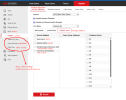
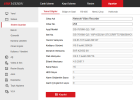
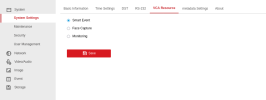
I’ve more or less found a workaround. If we switch the cameras to night mode and set the supplement light mode to white light, the cameras start recording in color continuously regardless of the time, meaning ColorVu stays active. I control the brightness of the white light using ISAPI from another device.
In short, it works in these three simple steps:
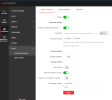
Your camera settings should be as follows:
Day/Night Switch: Night
Supplement Light Mode: White Supplement Light
Light Brightness Control: Manual
Notify Surveillance Center: Enabled
To listen to the alertStream and control the LEDs, I ran Node.js on an old Android phone, but ESP32 or Raspberry Pi can also be used.
I’m also including an example Node.js script that listens to the alertStream via ISAPI and controls the camera LEDs in a motion-triggered way, like an alarm (flashing + steady). The code was entirely written with Claude. You can upload it to Claude as well to have it translated into your own language and ask how it works or what parts you need to modify.

 github.com
Before anyone says "that's not what the light is for" or "you need the /SL model for that" - I'm fully aware. I know the white LED is designed as a supplement light for ColorVu night imaging, not as an alarm strobe. I know the /SL model has a dedicated flashing light with a proper linkage option under events. I'm not asking what the light was designed to do, I'm asking if there's a way to make it do what I want.
Here's why I think it should be possible: in smart mode at night, the camera already detects motion, then turns on the white light in response. So the logic of "motion detected → activate white LED" already exists in the firmware. It just refuses to do it during the day because the camera is in day mode and decides the supplement light isn't needed. That's a software decision, not a hardware limitation.
Forcing the camera into permanent night mode does work as a workaround but it ruins daytime image quality which I don't want to compromise on.
So has anyone found a way around this? ISAPI calls, hidden config parameters, firmware editing, a third party tool, Or an ISAPI command to turn on this LED for debugging purposes? If I can make this work, I can listen to the alert stream with the ESP32 and send a command to trigger the LED accordingly...anything that lets you control that LED independently from the day/night logic? Open to any creative solution. Thank you.
EDIT:
I’ve more or less found a workaround. If we switch the cameras to night mode and set the supplement light mode to white light, the cameras start recording in color continuously regardless of the time, meaning ColorVu stays active. I control the brightness of the white light using ISAPI from another device.
In short, it works in these three simple steps:
- We listen to the alertStream via ISAPI
- When an alertStream event is received, we adjust the camera light brightness via ISAPI
- When the alertStream ends, we set the light brightness back to zero via ISAPI
Your camera settings should be as follows:
Day/Night Switch: Night
Supplement Light Mode: White Supplement Light
Light Brightness Control: Manual
Notify Surveillance Center: Enabled
To listen to the alertStream and control the LEDs, I ran Node.js on an old Android phone, but ESP32 or Raspberry Pi can also be used.
I’m also including an example Node.js script that listens to the alertStream via ISAPI and controls the camera LEDs in a motion-triggered way, like an alarm (flashing + steady). The code was entirely written with Claude. You can upload it to Claude as well to have it translated into your own language and ask how it works or what parts you need to modify.
hikvision-whiteled-control/LedControl.js at main · yasinsil/hikvision-whiteled-control
Hikvision Camera White LED Control. Contribute to yasinsil/hikvision-whiteled-control development by creating an account on GitHub.
github.com
Last edited: