Excellent well done it works for me with option 2. I'll keep it as standard with the Smart detection box, quite like the red boundary now.
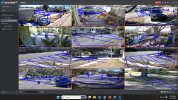
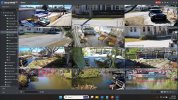
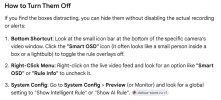
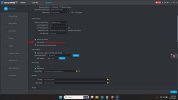
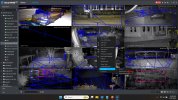
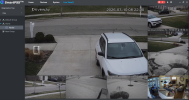
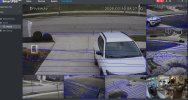
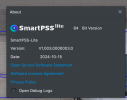
I have a MacBook Air and below firmware from Dahua wiki site. ONLY "Go to System > Basic Config > Show IVS Rule checkbox (near the bottom of the page)" removes my blue boxes from around each camera window all at once. Unfortunately "On each camera view, Uncheck "Detection Box"" does not work for me and I still have blue boxes around each camera view.FYI for users of the Mac version from Andy's site like me - 1.and 2. don'tdoesn't apply but 3. does.
Go to System > Basic Config > Show IVS Rule checkbox (near the bottom of the page)
edit: Above and 2. does. Right click > Smart OSD


I have a MacBook Air and below firmware from Dahua wiki site. ONLY "Go to System > Basic Config > Show IVS Rule checkbox (near the bottom of the page)" removes my blue boxes from around each camera window all at once. Unfortunately "On each camera view, Uncheck "Detection Box"" does not work for me and I still have blue boxes around each camera view.
View attachment 239630View attachment 239631View attachment 239632
I would love to but I cant find an update for a Mac anywhere....lol
Thanks for your help though!I would love to but I cant find an update for a Mac anywhere....lol