
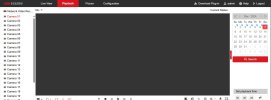
Need a perfect solution for Hikvision NVR windows application.

sudipghose

n3wb
Dec 7, 2024
1
0
Dhaka, Bangladesh
Screenshot_1.jpg

I have 11 Hikvision NVRs for my office, but the available remote and live playback applications are far from ideal. The Hik-Connect mobile app often fails to download footage and limits downloads to just 5-minute clips. On my Windows PC, I’ve tried using the IVMS application, but it’s extremely laggy and buggy—even on my high-performance desktop with a 14th-gen Core i7 processor. Additionally, using IVMS with Hik-Connect is painfully slow.

Currently, I access these NVRs through a web browser, with port forwarding and public IPs set up for each device. However, the Hikvision web interface constantly requires a plugin to display camera feeds. Even after installing the plugin, the camera feed doesn’t display properly, though I can download footage directly.

I’m looking for a reliable solution to monitor and view live streams from all my NVRs on my Windows desktop smoothly and efficiently.
 
"Perfect" doesn't exist. Every option has compromises.

Try Blue Iris. It has a free 14-15 day demo.

In BI, you select add camera and put the IP address of the NVR into the IP address location. Put in username and password and hit find/inspect and let BI do its thing.

Then about halfway down is a pull down for Camera number and pick camera 1 and then hit ok. The camera should show up. Then add camera and the select copy and copy this camera and then change the number 1 to a 2 and then repeat for your cameras by selecting add camera and add IP address of NVR and selecting next camera number.

OR depending on your NVR, in BI it may populate all the cameras in the main and substream pulldown boxes and you just select a camera number and then add another camera and select the next pulldown.

OR if all your cameras are connected to a POE switch, as long as you have an extra open port, you can connect the switch to the BI computer and bring in each camera separately via esch IP address.
 
The upper right of the web page will always show that "download plugin" button. Ignore it. Silly question, but are you hitting the "play" button at the bottom center? You won't get video unless you push that. Up until several years ago the video would automatically start, but now you have to hit "play."
 
I’m looking for a reliable solution to monitor and view live streams from all my NVRs on my Windows desktop smoothly and efficiently.
Depending on how well connected your (very risky) port-forwarding remote access works - have you tried iVMS-4200
A heavyweight but very functional application.
 
You may develop custom application with the usage of HikPartnerPro OpenAPI or ISUP server with HikCentral OpenApi

In both cases you can remove 5 min restriction of live view. This is something thats embedded within hikvision softwares. A timer with stream close.

Also utilize SDK for previewing footage, so you dont need plugin
 
Port forwarding is very, very risky.

 
Hi folks,
Yesterday, after 8 years of use, my Hikvision DS-7608NI-E2/8P audibly popped and stopped working. I followed a link in this thread to Blue Iris but it says the sale is out of stock. I found another seller on a Blue Iris website. I concerned I'll have difficulty connecting to my IPcams that are an assortment of POE and powered cameras. I have two Netgear GS108 gigabit switches to access. The POE cameras need power though. I ordered another NVR and it will take about 5 days to arrive. Any thoughts? Also my mounts that posted 8 years ago are still working fine to give a view from below my downspouts.
Jim
 
Hi folks,
Yesterday, after 8 years of use, my Hikvision DS-7608NI-E2/8P audibly popped and stopped working. I followed a link in this thread to Blue Iris but it says the sale is out of stock. I found another seller on a Blue Iris website. I concerned I'll have difficulty connecting to my IPcams that are an assortment of POE and powered cameras. I have two Netgear GS108 gigabit switches to access. The POE cameras need power though. I ordered another NVR and it will take about 5 days to arrive. Any thoughts? Also my mounts that posted 8 years ago are still working fine to give a view from below my downspouts.
Jim

Yeah, the BI purchase always seems to be out of stock here. Buy direct from the developer.

If you plan on using BI as just temp until the NVR arrives, just do the 15 day demo version and don't buy.

Adding a camera is easy in BI. Simply select add camera and type in the IP address and user and password and hit find/inspect and let BI do its thing. Repeat for each camera.
 
  • Like
Reactions: Jim Gallager