
true cloud hosting for ip cameras
- Thread starter prop
- Start date
You are using an out of date browser. It may not display this or other websites correctly.
You should upgrade or use an alternative browser.
You should upgrade or use an alternative browser.

I am not sure what you are asking for. You said cloud hosting in the title. You said you want to view IP cameras. But what cameras? What else do you want to do besides live view? Do you want to record? Receive alert notifications? Filter those alert notifications with AI? Share access with other people? Why do you think a laptop is required for anything? Can you describe the location of the cameras and what internet connection is there?
We need to know a lot more or we can't possibly provide advice.
You absolutely can run Blue Iris or any other software-based NVR "in the cloud" if you want, and connect it to your IP cameras through a VPN (in fact you could do that with a hardware NVR appliance too, with slightly more difficulty). It uses a huge amount of bandwidth to stream cameras 24/7 over the internet though, on the order of 200 to 3000 gigabytes of data per month per camera (it all depends on the bit rates you are streaming at). Also you need to have a capable machine running in the cloud, which will not be cheap. But none of that is strictly necessary if all you want to do is view cameras remotely and you don't mind a somewhat complex setup job. You could download an IP camera viewing app on your phone (of which there are multiple options) and connect the phone to a VPN hosted at the camera location and just live stream all the cameras directly when you have the app open, and not use any internet bandwidth when the app is not running.
We need to know a lot more or we can't possibly provide advice.
You absolutely can run Blue Iris or any other software-based NVR "in the cloud" if you want, and connect it to your IP cameras through a VPN (in fact you could do that with a hardware NVR appliance too, with slightly more difficulty). It uses a huge amount of bandwidth to stream cameras 24/7 over the internet though, on the order of 200 to 3000 gigabytes of data per month per camera (it all depends on the bit rates you are streaming at). Also you need to have a capable machine running in the cloud, which will not be cheap. But none of that is strictly necessary if all you want to do is view cameras remotely and you don't mind a somewhat complex setup job. You could download an IP camera viewing app on your phone (of which there are multiple options) and connect the phone to a VPN hosted at the camera location and just live stream all the cameras directly when you have the app open, and not use any internet bandwidth when the app is not running.


Do you still have Starlink for Internet at the location of the cameras as you did back in March of 2024?
what do i change it too? when in cmd prompt "
ipconfig /all
all i see under dns server is the ip address
ipconfig /all
all i see under dns server is the ip address
Alaska Country
Getting comfortable
With BI look into using TailScale for remote camera monitoring using UI3.
As point out above, uploading camera data to the cloud would be expensive. For my setup it would be about one terabyte per day.
As point out above, uploading camera data to the cloud would be expensive. For my setup it would be about one terabyte per day.
ok i`ll try to explain what i have and want to do. i have a house in mexico with an analog dvr . i am changing over to ip cameras with an nvr , so that is all set. i also have a hybrid hikvision dvr that will accept ip cameras and that is all set. i also have another hikvision nvr with 8 ip camera capacity , also set . i have a telmex fiber optic connection that works great, when it doesn`t go down , which is not uncommon where i am. we also loose power quite often. i also have starlink for backup but it will burn up the data quick if the cameras are constantly viewed . so what i want to do is to be able to view some or all of the ip cams on a separate platform remotely when i am back in the states. i would leave a laptop here but with the power going out the laptop would need to be turned on to use blue iris ?
In that case I would advise installing a router there with Tailscale support (something running pfSense or OpnSense would do it). Configure that router as an "exit node" in your Tailscale network. You should change the LAN IP address range to be unique, something you aren't using anywhere else, like
Then by connecting other devices to the same Tailscale network, you will be able to connect remotely to view the cameras through the Hikvision NVR. You'll also have the option to add a Blue Iris machine. I would NOT make it a laptop. Make it a desktop or mini PC and configure it to power on automatically after power loss. Also consider plugging it into a "smart plug" controllable via WiFi and an app so you can remotely reboot the PC in case it goes unresponsive.
If you have a Blue Iris machine running there, something I like to do is have another Blue Iris machine offsite pull a heavily compressed "All cameras" stream from it 24/7 and record it continuously. That way if the remote machine is inaccessible for any reason, you have an archive of the events leading up to its disconnection.
I am currently doing that for two remote BI systems with configurations like this:
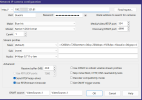
The "Main" stream path in my example is:
Here are parameters for a 1080p stream up to 1 Mbps bit rate with a frame rate of 2 FPS (helps keep the quality fairly good even with the low bit rate), and a keyframe every 1 minute (the long "gop"/"i-frame interval" is also very important for keeping the quality good at low bit rate).
1 Mbps bit rate is about 330 GB of data usage per month so it would work pretty great on Starlink assuming it is "unlimited" in that area. But I would advise making sure the fiber ISP is used normally because that is a more responsible use of resources than streaming 24/7 over Starlink which is a much more limited shared resource.
192.168.176.X.Then by connecting other devices to the same Tailscale network, you will be able to connect remotely to view the cameras through the Hikvision NVR. You'll also have the option to add a Blue Iris machine. I would NOT make it a laptop. Make it a desktop or mini PC and configure it to power on automatically after power loss. Also consider plugging it into a "smart plug" controllable via WiFi and an app so you can remotely reboot the PC in case it goes unresponsive.
If you have a Blue Iris machine running there, something I like to do is have another Blue Iris machine offsite pull a heavily compressed "All cameras" stream from it 24/7 and record it continuously. That way if the remote machine is inaccessible for any reason, you have an archive of the events leading up to its disconnection.
I am currently doing that for two remote BI systems with configurations like this:
The "Main" stream path in my example is:
/video/index/2.0?w=1280&h=720&stream=0&q=20&kbps=192&fps=1&audio=0&gop=4 but that is really very low image quality. Depending on your needs you might increase some of the parameters. The key is to use a fairly low bit rate.Here are parameters for a 1080p stream up to 1 Mbps bit rate with a frame rate of 2 FPS (helps keep the quality fairly good even with the low bit rate), and a keyframe every 1 minute (the long "gop"/"i-frame interval" is also very important for keeping the quality good at low bit rate).
/video/index/2.0?w=1920&h=1080&stream=0&q=40&kbps=1000&fps=2&audio=0&gop=1201 Mbps bit rate is about 330 GB of data usage per month so it would work pretty great on Starlink assuming it is "unlimited" in that area. But I would advise making sure the fiber ISP is used normally because that is a more responsible use of resources than streaming 24/7 over Starlink which is a much more limited shared resource.
Interesting...I guess my post to you in March 2024 did not help:
"Being that you're wanting to access a NVR, I'm thinking you could install Tailscale or ZeroTier on a compatible GL.iNET router and access it remotely that way."
If you won't be using the NVR, and you trust the Blue Iris machine to work, then you don't even need a new router because tailscale can run fine on the Blue Iris machine.
I recommend at least 8 GB RAM. And use wired Ethernet, not wireless.
Also that mini PC will require you to optimize CPU usage carefully.
Also that mini PC will require you to optimize CPU usage carefully.
tigerwillow1
Known around here
Does this have anything to do with the cloud? Am I missing something? I see it as just remote access.
i`m having trouble with the mini pc. i had the asus connected with a smart plug but there is no way that it will power up without physically pressing the button. i contacted support and they said it was not possible. now i have an origimagic that will reboot with the smart plug but will only reboot to the windows sign on screen. i tried in the bios setting it to boot from a usb with blue iris but it just goes to the windows screen so there is no way to sign on remotely, or is there?
IPCT's free Blue Iris Tools can be installed and configured to run when the PC is started up and then to open/run Blue Iris.i`m having trouble with the mini pc. i had the asus connected with a smart plug but there is no way that it will power up without physically pressing the button. i contacted support and they said it was not possible. now i have an origimagic that will reboot with the smart plug but will only reboot to the windows sign on screen. i tried in the bios setting it to boot from a usb with blue iris but it just goes to the windows screen so there is no way to sign on remotely, or is there?

This is a situation I have to deal with often, so I have notes on how to automatically log in to Windows upon startup.i`m having trouble with the mini pc. i had the asus connected with a smart plug but there is no way that it will power up without physically pressing the button. i contacted support and they said it was not possible. now i have an origimagic that will reboot with the smart plug but will only reboot to the windows sign on screen. i tried in the bios setting it to boot from a usb with blue iris but it just goes to the windows screen so there is no way to sign on remotely, or is there?
The Automation Guy
Known around here
You should be able to set up your computer to:
1) Turn on and boot automatically when power is restored to the device. This setting is a BIOS setting.
2) Automatically log into a default user account for whatever OS you are using (including Windows) and start any programs that you want started without any intervention needed. These settings are going to be found in the OS itself.
That being said, while a smart plug can certainly remove or add power to the computer by turning on/off, it has it's limitations. With that type of solution, you won't have any access to the machine until it completes the booting process, loads the OS, and connects to the network. If something prevents this from happening, you have no way of troubleshooting it remotely. Because of these limitations, you might also consider a remote KVM style solution instead of using a smart plug.
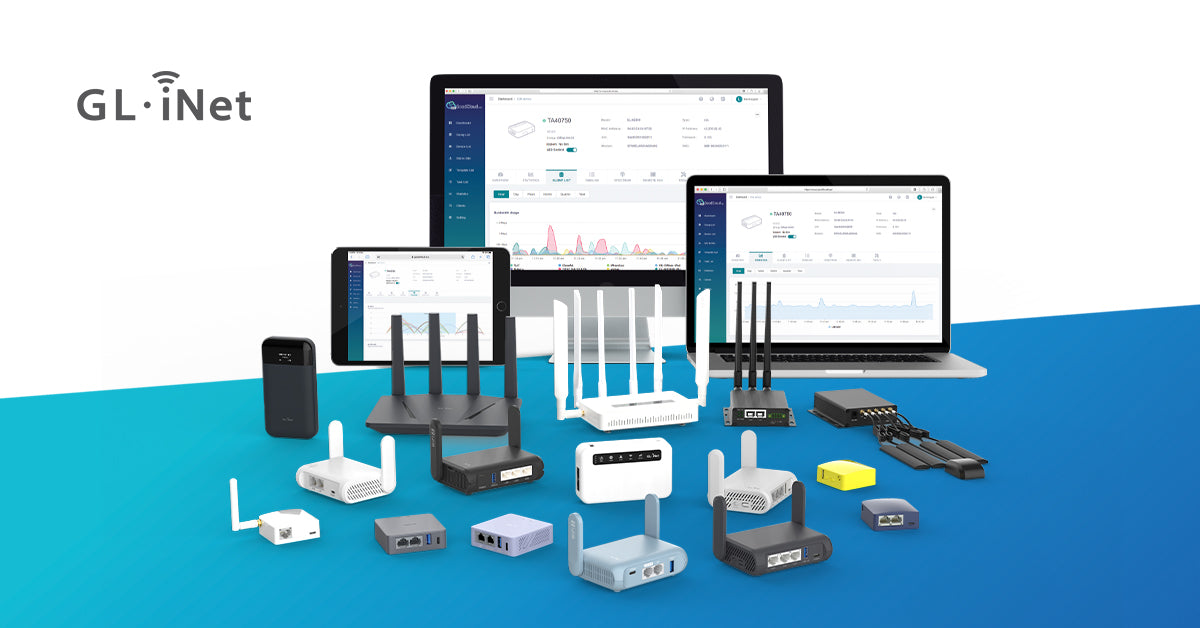
I have several GL-iNet Comet POE devices that allow me to access these computers remotely and control it - even being able to boot into BIOS, etc which is something you can't do with a "smart plug" style solution. GL-iNet even makes remote power solutions that allow me to remote into the system even if the computer is currently powered down, remote start the computer, and see the booting process (again to allow me to enter BIOS, or change the boot order, etc) as if I was standing in front of the computer with a mouse and keyboard. This type of solution clearly adds a lot more flexibility and functionality over just using a smart plug to turn power on/off to the computer.
1) Turn on and boot automatically when power is restored to the device. This setting is a BIOS setting.
2) Automatically log into a default user account for whatever OS you are using (including Windows) and start any programs that you want started without any intervention needed. These settings are going to be found in the OS itself.
That being said, while a smart plug can certainly remove or add power to the computer by turning on/off, it has it's limitations. With that type of solution, you won't have any access to the machine until it completes the booting process, loads the OS, and connects to the network. If something prevents this from happening, you have no way of troubleshooting it remotely. Because of these limitations, you might also consider a remote KVM style solution instead of using a smart plug.
I have several GL-iNet Comet POE devices that allow me to access these computers remotely and control it - even being able to boot into BIOS, etc which is something you can't do with a "smart plug" style solution. GL-iNet even makes remote power solutions that allow me to remote into the system even if the computer is currently powered down, remote start the computer, and see the booting process (again to allow me to enter BIOS, or change the boot order, etc) as if I was standing in front of the computer with a mouse and keyboard. This type of solution clearly adds a lot more flexibility and functionality over just using a smart plug to turn power on/off to the computer.

Last edited:

SpacemanSpiff
Known around here
What capabilities does the router at the remote location have? Can it be configured as a VPN server? If so, connect remotely via VPN. Then use tightVNC to connect to the blue iris (BI) laptop/desktop. This will work, even if the BI machine is not currently logged in. Once you are done checking things out at the remote location, log out of the local user account on the machine running BI. This will limit access to the machine if anyone is physically on-site