Blue iris all of a sudden using 100% CPU

dannieboiz

Getting the hang of it
May 13, 2015
505
75
I recently noticed that BI is using 100% of the CPU and often crashes the whole PC. I have not made any changes to the system itself aside from updating as updates come in.

I do have Home assistant pulling streams from the webserver but even with home assistant off, it doesn't drop the CPU usage so I dont' think the issue is there. What other things can I look at?

FWIW: I'm using Code Project AI with a GPU task manager shows that it's blue iris that's using the CPU
 
  • Like
Reactions: Flintstone61
I recently noticed that BI is using 100% of the CPU and often crashes the whole PC. I have not made any changes to the system itself aside from updating as updates come in.

I do have Home assistant pulling streams from the webserver but even with home assistant off, it doesn't drop the CPU usage so I dont' think the issue is there. What other things can I look at?

FWIW: I'm using Code Project AI with a GPU task manager shows that it's blue iris that's using the CPU
If you are not comfortable testing new versions, then don't update every time one is available. It's just a bad update, it happens, so no big deal, just go back a version. 6.0.1.25 works well.
 
Beta tester risks.
don't let BI auto-update. Let it notify, But you choose when and how.
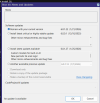
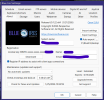
1769402025365.png1769402140124.png
 
Mine doesn't auto update but I'm always tempted to try new things. I'll have to do better at reading release notes to see if it's worth updating moving foward
 
  • Like
Reactions: Flintstone61
I will say that the new AI system can definitely suck up the CPU power - especially if you have turned on the "Periodic AI Scan" option. I switched computers when I moved from v5 to v6, so I can't do a direct comparison to what I experienced in v5. But I know that in v6 I went from CPU usage of around 40-50% up to pegging it at 100% when I turned on "Periodic AI Scan" on multiple cameras. Turning that option off on all but a select few cameras again brought the CPU usage back down.

What I don't understand is why the AI system doesn't seem to want to use the graphics card I have installed. I have the card selected in the drop down menu in the main AI tab, and the system shows the GPU usage at 1-2%. But it never increases from that 1-2% - meanwhile my CPU usage goes through the roof when I add more AI functionality. I need to look into that further to see if it's a configuration issue, or a bug.
 
  • Like
Reactions: ipcamwalt
Love to hear more about what you find. I'm finding the same issue, although in my case switching from CPAI to the BI AI is what is causing this for me. I select my GPU but GPU is usually under 10% while CPU is spiking upto 100%.

I'm gonna try turning off Period AI Scan.