Unable to access NVR GUI over LAN via IP

Jimmyjames

Getting the hang of it
Oct 8, 2025
57
91
Michigan
Hi guys,

I have an LTS model LTN8716K-P16 NVR that I have been playing around with. I currently have a few Hik cams connected to it.

The problem I am having is that I cannot access the web GUI locally for the NVR via IP in any browser. I have tried on 2 different PC’s both running windows 11, tried on chrome and Edge, as well as Edge utilizing IE mode. The NVR refuses to connect.

The NVR pings just fine via command prompt on both PC’s. It configured to the LTS Connect app just fine. It also shows up on the NVMS v3 pc app without any issues. It is just refusing to connect via IP through a browser.

Anyone have any ideas as to what my issue is?

_JimIMG_2154.jpeg

 
Have you rebooted the NVR?

Not familiar with that particular model/brand but it could have locked from too many bad logins (often set at 3-5 attempts)
If so, rebooting will clear it

Worth a try
 
  • Like
Reactions: Jimmyjames
Have you rebooted the NVR?

Not familiar with that particular model/brand but it could have locked from too many bad logins (often set at 3-5 attempts)
If so, rebooting will clear it

Worth a try


I tried rebooting again and it’s a no go. I’ve had no issues connecting via IP with other HIK/LTS NVR’s on my local network in the past. The device shows up properly as a client on my router.

Do you know if I can connect one of my PC’s directly to the NVR via cable and access the software in that manner?
 
My Dahua NVRs allow me to connect a monitor and mouse and access the machine interface directly.

Have you tried using Pale Moon 32 browser? Often it will connect when MS browsers wont
 
My Dahua NVRs allow me to connect a monitor and mouse and access the machine interface directly.

Have you tried using Pale Moon 32 browser? Often it will connect when MS browsers wont
I can connect to the NVR via usb and run a keyboard/mouse and interface that way with the monitor for sure.


As for Palemoon i have not tried yet but installing now.
 
  • Like
Reactions: bigredfish
@bigredfish

I installed Palemoon and did another reboot. Still unable to connect via browser.

That being said….

I feel like it’s gotta be some configuration issue on my end…or a firmware issue with LTS . Hopefully something on my end.


The LTS download center does not offer a firmware update for this particular combination of hardware/software. There is an update listed, however It says contact LTS if your firmware for this model is prior to V4.32.110……. I am on V3.4.96

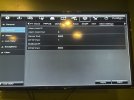
Not saying that is definitely the issue but it’s interesting that the website says that. IMG_2155.jpeg

IMG_2156.jpeg
 
FW wouldnt make it suddenly be inaccessible.

Its not that old, I have much older. Rarely does FW fix basic networking issues.

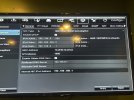
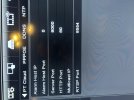
Its like its not responding on port 80. Is it possible it was configured to serve http on another port? Like 8080?
 
  • Like
Reactions: Jimmyjames
FW wouldnt make it suddenly be inaccessible.

Its not that old, I have much older. Rarely does FW fix basic networking issues.

Its like its not responding on port 80. Is it possible it was configured to serve http on another port? Like 8080?

It says that because if you jump too many versions you may brick it.
IMG_2159.jpegIMG_2157.jpeg


I am pretty new to the “port” concept. I don’t possess full understandings yet. But this is what I am looking at
 
Last edited:
I get lucky now and then

Glad that worked, I was running out of ideas!
 
  • Like
Reactions: Jimmyjames
It says that because if you jump too many versions you may brick it.


Correct! I contacted LTS today and they provided me with an unlisted “in between” firmware version to upload first. Then I uploaded the latest version from the download center. It’s much more modern and is a big improvement. Thanks!
 
I wonder how the heck the HTTP port got changed from the normal "80" to "1" ? :idk:
 
  • Like
Reactions: bigredfish