I have four cameras from Andy; two are IPC-T5442T-ZE and are working fine.
The other two are an IPC-Color4K-T180 and an IPC-Color4K-T.
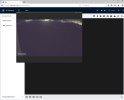
The latter two are not displaying any video in my web browser.
All four cameras are mounted similarly on the same building, fed by the same POE switch. I can power-cycle each camera via the switch's web page.
On the two cams that aren't working right, after they power up, I can get to their login page and can log in, using my Chrome browser, as I normally have done.
I can can use the Home menu and can get to the Recordings page. When I play back any recorded video snippet, I can hear the audio just fine, but the video is blank.
Same story for the Live Main stream or either sub-stream.
Recently I used Ccleaner 7 which went through a lot of old files and drivers to "clean up" my PC.
My suspicion is that it disabled or deleted some sort of codec or driver that is needed for the Color4K cameras to display video on a browser page.
Note that while I've purchased a license to Blue Iris, for various reasons I haven't gotten around to installing it (yeah, shame on me!).
Can anyone point me to the codec or driver that is needed for Color4K cameras to display video in a web page?
I seem to remember having to do something special to get these cameras working in a web page, but I cannot remember the details.
The other two are an IPC-Color4K-T180 and an IPC-Color4K-T.
The latter two are not displaying any video in my web browser.
All four cameras are mounted similarly on the same building, fed by the same POE switch. I can power-cycle each camera via the switch's web page.
On the two cams that aren't working right, after they power up, I can get to their login page and can log in, using my Chrome browser, as I normally have done.
I can can use the Home menu and can get to the Recordings page. When I play back any recorded video snippet, I can hear the audio just fine, but the video is blank.
Same story for the Live Main stream or either sub-stream.
Recently I used Ccleaner 7 which went through a lot of old files and drivers to "clean up" my PC.
My suspicion is that it disabled or deleted some sort of codec or driver that is needed for the Color4K cameras to display video on a browser page.
Note that while I've purchased a license to Blue Iris, for various reasons I haven't gotten around to installing it (yeah, shame on me!).
Can anyone point me to the codec or driver that is needed for Color4K cameras to display video in a web page?
I seem to remember having to do something special to get these cameras working in a web page, but I cannot remember the details.