

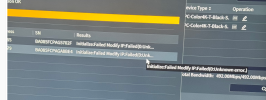
Camera noob here, I can’t get my cameras to initialize. I just purchased my NVR & cameras from empiretech. I’m following the instructions but I can’t get them to initialize and change IP. I keep getting a unkown error. I’ve double checked my IP address & gateway address.
EmpireTech cameras not initializing
- Thread starter Von19888
- Start date
You are using an out of date browser. It may not display this or other websites correctly.
You should upgrade or use an alternative browser.
You should upgrade or use an alternative browser.
tigerwillow1
Known around here
What are you using to initialize? I use Config Tool and it always works. Others use the camera web interface and it works for them. If using Config Tool, after you initialize, you have to go back to Search Setting and change the password to what you gave it for Initialize. Only then can you change the IP address.

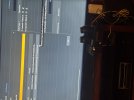
Possibly an IP address conflict caused by 2 new cameras using the same default IP address?
Maybe try plugging only 1 camera into the NVR... get that one configured first and then plug the other camera in?
Maybe try plugging only 1 camera into the NVR... get that one configured first and then plug the other camera in?

You don't initialize cameras you are plugging into the NVR POE ports.
Factory reset the cameras and then plug one into port 1 and let the NVR find it and then plug the next one into port 2 and repeat.
Factory reset the cameras and then plug one into port 1 and let the NVR find it and then plug the next one into port 2 and repeat.

EMPIRETECANDY
IPCT Vendor
yes, when pluginto the poe nvr, the camera initilazed itself, no need to initialize again. It's a POE NVR right?
We can make a phone call support if you want to, just send you a DM.
Also the POE NVR the IP address can't be modified, so just use what the place to it.
We can make a phone call support if you want to, just send you a DM.
Also the POE NVR the IP address can't be modified, so just use what the place to it.
Last edited:
EMPIRETECANDY
IPCT Vendor
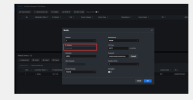
What is your NVR? You see this POE NVR make the camera online directly and the IP can't change. If you change the Camera's IP, have to hard reset the camera, then can re-add again.
Last edited:

As mentioned, don’t use the Config Tool
When you plug a camera into a POE NVR, it will automatically assign an IP using the NVR’s internal switch. This will be 10.1.1.x typically starting with 10.1.1.65 on port #1
The camera will also automatically adopt the login/password of the NVR admin. All cameras plugged into the NVR POE ports will do this.
Do not try to change the IP or the login/password of the cameras.
Unplug all cameras
Plug in 1 in port#1
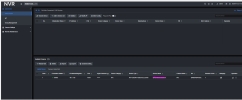
Go to the Camera Registration page on the NVR and find it in the lower pane.
Click on the IE icon and it will open the camera interface.
When you plug a camera into a POE NVR, it will automatically assign an IP using the NVR’s internal switch. This will be 10.1.1.x typically starting with 10.1.1.65 on port #1
The camera will also automatically adopt the login/password of the NVR admin. All cameras plugged into the NVR POE ports will do this.
Do not try to change the IP or the login/password of the cameras.
Unplug all cameras
Plug in 1 in port#1
Go to the Camera Registration page on the NVR and find it in the lower pane.
Click on the IE icon and it will open the camera interface.
Thank you. I will try again this afternoon. I didn’t see it down in the lower pane. But it was late last night.As mentioned, don’t use the Config Tool
When you plug a camera into a POE NVR, it will automatically assign an IP using the NVR’s internal switch. This will be 10.1.1.x typically starting with 10.1.1.65 on port #1
The camera will also automatically adopt the login/password of the NVR admin. All cameras plugged into the NVR POE ports will do this.
Do not try to change the IP or the login/password of the cameras.
Unplug all cameras
Plug in 1 in port#1
Go to the Camera Registration page on the NVR and find it in the lower pane.
Click on the IE icon and it will open the camera interface.
tigerwillow1
Known around here
In my first post I made the mistake of thinking that this wasn't a NVR POE port situation. I need to train myself to first ask what the configuration is, even when it seems obvious to me. Those screen shots in post #3 are not from any version of Config Tool that I've ever seen.
We got it figured out. Thanks to Andy and Jeff with great customer service. We believe it might have been a user error while setting up the NIC. Once we reset the NVR the cameras connected automatically.
