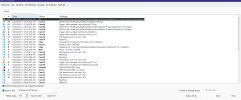
Just upgraded to 6.x.20 version; CPU @ 110% now, most cameras no signal; help!

marklyn

Pulling my weight
Jun 13, 2015
531
142
So I followed a consensus of posts on upgrading from v5 to v6 today.
I stopped v5 (service), installed the current version ...20. The attached screenshot came up after the install but before I launched it. Only 2 of my 15 cameras came up, the rest said no signal.
The CPU is maxed out at 110% and eventually causes BI6 to crash. I then removed v5 and rebooted. Launched v6, same thing 13 no signal cameras and CPU @ 110% (normally ran under 10%)
Suggestions are appreciated while I try to google fix this out.
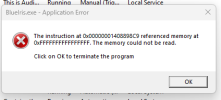
 

Attachments

  • blueiris fail.png
    blueiris fail.png
    13.6 KB · Views: 15
Try going to the main (overall settings) BI tab for AI, and turn down maximum connections from the default 30 or 40 down to 2 or 4, particularly if you are using a system with only an iGPU, not a dedicated graphics card.
 
I only see 3 max connects under the main settings AI tab... is that what you're talking about?
 
Yes, 3 is acceptable . You might also need to check that AI didn't get turned on unintentionally on each camera, including facial recognition and license plate settings.
 
  • Like
Reactions: Broachoski
OK, so I uninstalled v6, stopped service, renamed Perspective reg key in registry, rebooted. reinstalled v6, imported registry key and entered my license number. It finally did come back up, at first with no new or stored folder location folder set but after another service restart and BI exit/relaunch, they were there. So BI, generally speaking, is now running and capturing events based on triggers for each camera. But...
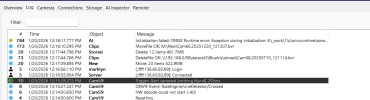
AI is not working. I have a GTX 1650 card installed and each camera I want AI running on shows the green AI running, etc. For example, in screenshot below, Cam57 should have shown a vehicle in the clips pane with a 91% car but none of the cameras are showing any AI icons. Suggestions? HW decode was already off in my main BI settings...
 
So now I'm having issues with AI running. I used AI when I had codeproject running before so any suggestions on what to check? That ONNX error at top is one I've never seen...
1768931954611.png
 
I also recently discovered all of my cams ai tabs were set to motion required = no. That was hammering my codeproject by constantly scanning even when not triggered.
 
Mine were set to no, so I set one camera to motion overlap only and walked in front of the camera and it AI didn't tag it.
It was Cam59 in snapshot. Plus I'm still seeing the ONNX runtime error at the top. I do have current GTX 1650 drivers installed...1768933166015.png
 
I think I may be jumping the gun... Blue Iris Ai isn't set up to run on my version (6.0.0.1) it seems. Am I correct?
 
Built-in BI AI started with BI 6.0.1.2
So my update window shows a 6.0.1.21 and I assume that would include it?
I'm confused because I thought the 6.0.1.2x version wasn't out there until very recently but saw threads where people were talking about the integrated ai.
 
So my update window shows a 6.0.1.21 and I assume that would include it?
I'm confused because I thought the 6.0.1.2x version wasn't out there until very recently but saw threads where people were talking about the integrated ai.
Yes, yours will have it, no question...every version since December 18, 2025 (Version 6.0.1.2, 6.0.1.3, 6.0.1.4 etc...) has had the option to use the built-in AI.
 
  • Like
Reactions: marklyn
Yes, yours will have it, no question...every version since December 18, 2025 (Version 6.0.1.2, 6.0.1.3, 6.0.1.4 etc...) has had the option to use the built-in AI.
Thanks. I think the upgrade numbers were jumbled in my head or I was misreading them.