
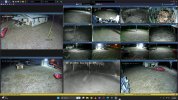
Hi guys, I hope someone can offer a solution for my issue. I just upgraded to 6 and I had two cameras stop working after the upgrade. Both initially were showing “Error: ffffffff (Socket error) 0”. After fiddling with one I got I to now say “failed to connect” These are older cameras but they were working and I’d like to get them back. Both are visible when I put the IP into a browser so I think it’s a config error in BI. When I use the Find/Inspect it goes thru but doesn’t make any changes. I tried some settings from similar model cameras but I’m not having any success getting them back online. I deleted one and re-added it, but it still won’t connect. Any suggestions would be appreciated.
Lost cameras after upgrade
- Thread starter TheDishDoc
- Start date
You are using an out of date browser. It may not display this or other websites correctly.
You should upgrade or use an alternative browser.
You should upgrade or use an alternative browser.

Bruce_H
Getting comfortable
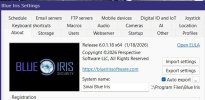
The make and model of the camera might help some one to make some suggestions?? Also the version of BI 6 that you are currently on; not sure if it is relevant or not but more information won't hurt?
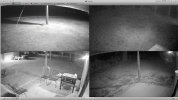
I was able to self-rescue. Thanks anyway sir. It's all working now  I left the name of the cameras off because I didn't want to get flamed lol. On a side not I just got three new Hik DS-2CD2387G#-LIS2UY cameras with the new ColorVue 3.0 and the night vision performance is impressive. No ghosting in motion with available light.
I left the name of the cameras off because I didn't want to get flamed lol. On a side not I just got three new Hik DS-2CD2387G#-LIS2UY cameras with the new ColorVue 3.0 and the night vision performance is impressive. No ghosting in motion with available light.
Bruce_H
Getting comfortable
Perhaps you could share what the solution was for the sake of other users? You have also just discovered why keeping old cameras around is not worth it!
For some reason the gateway was incorrect on 2. Also, the media/video/RSTP ports and the Discovery/ONVIF ports were wrong. I got into the cam configs with browser t get the correct settings, input those values into BI and re-ran the Find/inspect. That got them back online. Keeping old cameras around is worth it for me because they still work fine and I would be short 4 views without them However I learned a lesson and will not BUY any more cheap cameras. I will certainly use what I have until they die though. I'm still running my original 4 analog cameras as well 

Attachments
ingenium
n3wb
I'm having this same issue on all of my Dahua IPC-HDBW4231F-E2-M cameras after upgrading from v5 to v6. Once in a while one camera will get a signal briefly before the stream stops and it gives the socket error again ("Error: ffffffff (Socket error) 0"). I tried doing a find/inspect and saving the config, but it didn't work. Rebooted the cameras and restarted blue iris multiple times and it didn't make any difference. My Dahua SD59230U-HNI works fine though.
Blue Iris is on the same subnet/vlan as the cameras.
Blue Iris is on the same subnet/vlan as the cameras.