how can I get my camera alerts in my desktop back on all my cameras ?

Sep 19, 2015
1,155
1,487
Naples Fl
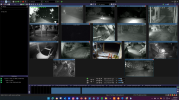
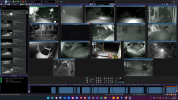
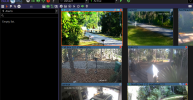
what I used to have


Screenshot 2025-12-18 093300.png

Screenshot 2025-12-18 093212.png
what I now have on 6 cameras, no saved alerts for those cameras ,

I used to select alert view on camera and click on a camera and I could scroll through them by day and search through the time for an event and now that no longer works
 

Attachments

  • Screenshot 2025-12-18 093212.png
    Screenshot 2025-12-18 093212.png
    671.7 KB · Views: 5
Can you post a FULL, not partial, screenshot of both of the above images?
 
  • Like
Reactions: looney2ns
Screenshot  AAA.png

Screenshot BBB.png
 
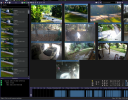
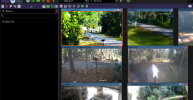
Not quite sure what the problem is, are you trying to get the alerts for all cameras to show on the left side, if so then the green icon with the 1 in it is selected, that will only show the alerts for the selected camera, all you have to do is click the icon once and it will turn grey and display all alerts again!
 
Not quite sure what the problem is, are you trying to get the alerts for all cameras to show on the left side, if so then the green icon with the 1 in it is selected, that will only show the alerts for the selected camera, all you have to do is click the icon once and it will turn grey and display all alerts again!
I am trying to get all the cameras to show alerts camera by camera like it has been for over 10 years. suddenly, I have 7 cameras that show no alerts and 13 that do
 
You may check those cameras settings-alert tab and ensure that the "Add to alerts list" is checked.
I find that my settings files frequently get screwed up when doing BI updates here lately.
 
You may check those cameras settings-alert tab and ensure that the "Add to alerts list" is checked.
I find that my settings files frequently get screwed up when doing BI updates here lately.
I need a teenager to fix it as no matter how many times I have troed ot still does not work lol. needless tp say that did not work either lol