Hello,
I just bought the IPC-HDW3449H-ZAS-PV-PRO (IPC-Color4M-TZ) and I am using it at the moment in standalone mode (without NVR).
I tested it a little with my Frigate, and it is working beautifully (even the 2-way audio). But mainly I am using the web interface.
I wanted use some features (strobe, audio message, illuminator) in case some motion is detected but it seems that no motion is detected (firmware is 3.140.0000000.16.R).
It is really weird because in the Live view, people are correctly identified (blue rectangle around them).
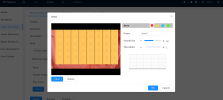
But in the event / video detection / area, everything is in red and no motion is detected:
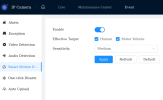
IA option like AcuPick and IVS are also activated.
As a result I cannot trigger any event in case of motion (like strobe, audio or warm light).
Am I missing an option somewhere or is this kind of feature only working with Dahua NVR ?
The camera is in an isolated vlan and doesn't have access to Internet.
Thanks !
I just bought the IPC-HDW3449H-ZAS-PV-PRO (IPC-Color4M-TZ) and I am using it at the moment in standalone mode (without NVR).
I tested it a little with my Frigate, and it is working beautifully (even the 2-way audio). But mainly I am using the web interface.
I wanted use some features (strobe, audio message, illuminator) in case some motion is detected but it seems that no motion is detected (firmware is 3.140.0000000.16.R).
It is really weird because in the Live view, people are correctly identified (blue rectangle around them).
But in the event / video detection / area, everything is in red and no motion is detected:
IA option like AcuPick and IVS are also activated.
As a result I cannot trigger any event in case of motion (like strobe, audio or warm light).
Am I missing an option somewhere or is this kind of feature only working with Dahua NVR ?
The camera is in an isolated vlan and doesn't have access to Internet.
Thanks !