Hi Everyone.
Im trying to add two HiLook cameras to a Hikvision NVR though I get a message stating the camera is not registered. I'm in Australia.
Ive got a Hikvision DS-7604NI-I-I1/4P running firmware v4.60.005 build 231219 and two existing Hikvision cameras (DS-2CD2347G2-LSU/SL) that are working fine, I did have to set a static IP (192.168.254.9 & 192.168.254.10) on them both as the DHCP from the NVR was giving out a 169.x.x.x address - not sure if this is the issue though Ive set static IP's on the cameras and seems to work fine.
I now want to add two HiLook cameras (IPC-T269H-MU/SL with firmware version v5.7.11 build 250816, which I understand is the latest firmware of both the HiLook cameras and Hikvision NVR. Ive tried to add them the same method as the two Hik DS-2CD2347G2-LSU/SL
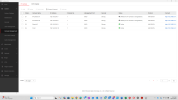
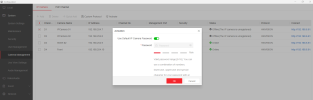
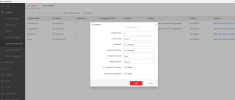
When I try to add the camera using the manual method with a static IP (192.168.254.7 & .8) and the Hikvision protocol, the NVR states "Offline - the camera is unregistered", I then try to activate the camera and it accepts the page though nothing happens at all. I wait and refresh the page and same error.
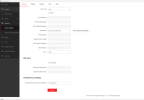
I'm unable to log ito the webpage of the camera with its static IP however If I set the camera to a DHCP address via the SADP tool it picks up a 169.254.x.x address and I can access the webpage, and I can see live view via the webpage. I have confirmed all usernames, passwords are correct with access via SADP, HiTools and IVMS.
I have tried various scenarios such as plug and play and DHCP though Im unable to connect these two HiLook cameras. I have also tried to connect the camera via ONVIF protocol and it gets the same error message.
Any assistance/tips are greatly appreciated.
Thank you in advance.
Im trying to add two HiLook cameras to a Hikvision NVR though I get a message stating the camera is not registered. I'm in Australia.
Ive got a Hikvision DS-7604NI-I-I1/4P running firmware v4.60.005 build 231219 and two existing Hikvision cameras (DS-2CD2347G2-LSU/SL) that are working fine, I did have to set a static IP (192.168.254.9 & 192.168.254.10) on them both as the DHCP from the NVR was giving out a 169.x.x.x address - not sure if this is the issue though Ive set static IP's on the cameras and seems to work fine.
I now want to add two HiLook cameras (IPC-T269H-MU/SL with firmware version v5.7.11 build 250816, which I understand is the latest firmware of both the HiLook cameras and Hikvision NVR. Ive tried to add them the same method as the two Hik DS-2CD2347G2-LSU/SL
When I try to add the camera using the manual method with a static IP (192.168.254.7 & .8) and the Hikvision protocol, the NVR states "Offline - the camera is unregistered", I then try to activate the camera and it accepts the page though nothing happens at all. I wait and refresh the page and same error.
I'm unable to log ito the webpage of the camera with its static IP however If I set the camera to a DHCP address via the SADP tool it picks up a 169.254.x.x address and I can access the webpage, and I can see live view via the webpage. I have confirmed all usernames, passwords are correct with access via SADP, HiTools and IVMS.
I have tried various scenarios such as plug and play and DHCP though Im unable to connect these two HiLook cameras. I have also tried to connect the camera via ONVIF protocol and it gets the same error message.
Any assistance/tips are greatly appreciated.
Thank you in advance.