
Blue Iris UI3
- Thread starter bp2008
- Start date
You are using an out of date browser. It may not display this or other websites correctly.
You should upgrade or use an alternative browser.
You should upgrade or use an alternative browser.


Could it be related to the case change of "Index" to "index" that was recently made by Ken?I notice that in BI3 that I don't have a "Current Group" view for "All cameras or index" like It does in the BI desktop console, is there a setting that I need or is this a bug? I am using Version 5.9.9.81 and windows 11 pro with a chrome browser for UI3
A HEADS-UP to anyone using the JSON
Ken has intentionally changed the name of All Cameras group in the JSON camlist response from capitalized 'Index' to lowercase 'index'.
If you've got any code/scripts/etc. that expects the case-sensitive group name, then, like me, you've got some editing to do.
Ken's response...
camlist command.Ken has intentionally changed the name of All Cameras group in the JSON camlist response from capitalized 'Index' to lowercase 'index'.
If you've got any code/scripts/etc. that expects the case-sensitive group name, then, like me, you've got some editing to do.
Ken's response...
Yes I did that purposely for consistency/readability. My code was always using a case-insensitive comparison. Sorry for the disruption.

Thanks for letting me know about that, because that change did cause some bugs which I'm fixing. However this change did not prevent the "All cameras" group from appearing in UI3.Could it be related to the case change of "Index" to "index" that was recently made by Ken?
A HEADS-UP to anyone using the JSONcamlistcommand.
Ken has intentionally changed the name of All Cameras group in the JSON camlist response from capitalized 'Index' to lowercase 'index'.
If you've got any code/scripts/etc. that expects the case-sensitive group name, then, like me, you've got some editing to do.
Ken's response...
Yes I did that purposely for consistency/readability. My code was always using a case-insensitive comparison. Sorry for the disruption.

Old Rhinebeck
n3wb
Hi @bp2008, thanks for developing UI3! I have an issue that when I log into UI3 on my local network the Live View video is jerky/stuttering but if I view clips in UI3 or look at the Live View on the BI computer it is smooth. I have tried to figure out what setting to change in UI3, but have been unsuccessful. Thanks for any assistance you can provide!
Hi @bp2008, thanks for developing UI3! I have an issue that when I log into UI3 on my local network the Live View video is jerky/stuttering but if I view clips in UI3 or look at the Live View on the BI computer it is smooth. I have tried to figure out what setting to change in UI3, but have been unsuccessful. Thanks for any assistance you can provide!
There's probably not a setting in UI3 that would affect this.
Do single cameras stutter or is it the multi-cam view only?
If you are running cameras with sub streams, did you match the main stream and sub stream frame rates and i-frame intervals?

HI, I`m using a raspberry pi connected to a old tv to display blueiris cameras, It has no mouse or keyboard, I managed to make it load blueiris at the desired view with the profile I want but I could not make it play sound, I have to set the volume every time, is there a url parameter or anything to make it load un muted and with 100% volume? if not can I modify ui3.js to do so?
HI, I`m using a raspberry pi connected to a old tv to display blueiris cameras, It has no mouse or keyboard, I managed to make it load blueiris at the desired view with the profile I want but I could not make it play sound, I have to set the volume every time, is there a url parameter or anything to make it load un muted and with 100% volume? if not can I modify ui3.js to do so?
That will be a tricky one.
There's no built-in URL parameter for setting the audio volume, and web browsers normally require a user interaction such as a mouse click, before audio can be played on a website.
You can use a ui3-local-overrides.js file to unmute and set the audio volume. I've created one for you here and also included some instructions (untested) for how to make the web browser allow UI3 to play audio without requiring user interaction: Local Overrides Sample: Unmute Audio

Thank You So Much for Your Help!That will be a tricky one.
There's no built-in URL parameter for setting the audio volume, and web browsers normally require a user interaction such as a mouse click, before audio can be played on a website.
You can use a ui3-local-overrides.js file to unmute and set the audio volume. I've created one for you here and also included some instructions (untested) for how to make the web browser allow UI3 to play audio without requiring user interaction: Local Overrides Sample: Unmute Audio
It worked! I didn`t know I could create a override for ui3.js and you were very kind to make a sample!
I`m using fullpageos and it comes with chromium already setup to allow auto sound play so I only needed to add the ui3-local-override.js
I wrote up a post in another thread about new H.265 support in Blue Iris 5.9.9.99 (a.k.a. Blue Iris 6 beta) and UI3, and I'm copying it here to increase awareness.
H.265 encoding was added in some of the earlier Blue Iris 5.9.9.99 releases (a.k.a. Blue Iris 6 beta) and I already got it working in UI3.
Compatibility is spotty. Here is a limited compatibility matrix based on my own testing.
Right now I don't recommend configuring any streaming profiles to use H.265 encoding though.
Remember, direct-to-wire only works with live single-camera video. Not for multi-camera views or clips or timeline.
Direct-to-wire also introduces unpredictable compatibility issues. My older 4K Dahua cameras that are encoding H.265 video won't play in UI3 while direct-to-wire is enabled -- I just get a decoder error and the video freezes before it renders a single frame. To help deal with situations like this, Blue Iris has added a checkbox in Camera Settings > Webcast tab where you can disable direct-to-wire for individual cameras.
H.265 encoding was added in some of the earlier Blue Iris 5.9.9.99 releases (a.k.a. Blue Iris 6 beta) and I already got it working in UI3.
Compatibility is spotty. Here is a limited compatibility matrix based on my own testing.
Right now I don't recommend configuring any streaming profiles to use H.265 encoding though.
- Encoding in H.265 (instead of H.264) adds a lot to Blue Iris's CPU load. This may become less of an issue for systems that use hardware accelerated encoding, but currently hardware accelerated encoding is broken, so who knows?!
- I don't have an objective/scientific way to test if Blue Iris's H.265 encoding is providing a better compression ratio than H.264. My subjective experience is that it performs quite similarly and I can't assign victory to either codec.
Remember, direct-to-wire only works with live single-camera video. Not for multi-camera views or clips or timeline.
Direct-to-wire also introduces unpredictable compatibility issues. My older 4K Dahua cameras that are encoding H.265 video won't play in UI3 while direct-to-wire is enabled -- I just get a decoder error and the video freezes before it renders a single frame. To help deal with situations like this, Blue Iris has added a checkbox in Camera Settings > Webcast tab where you can disable direct-to-wire for individual cameras.
I am currently on v5.9.9.73. Before I upgrade to BI v6, can someone confirm that v6 is compatible with ui3-local-overrides.js?
Do I just copy over my overrides.js once v6 is installed?
Any adjustments I need to make for v6 or will overrides.js work as-is?
Thanks!
Do I just copy over my overrides.js once v6 is installed?
Any adjustments I need to make for v6 or will overrides.js work as-is?
Thanks!
It is fully compatible. You do need to copy over the overrides file and any others it may call upon (usually none) into the newI am currently on v5.9.9.73. Before I upgrade to BI v6, can someone confirm that v6 is compatible with ui3-local-overrides.js?
Do I just copy over my overrides.js once v6 is installed?
Any adjustments I need to make for v6 or will overrides.js work as-is?
Thanks!
www/ui3 folder.I have made great use of Blue Iris and my Ui3 for many years. I have 16 cameras of various makes and styles installed which all run smoothly. The only issue I am having now is this: When I view Ui3 in Chrome (I happen to be on a Mac Studio Pro) I can see all of my cams on the grid and view all of them in full screen as well (and all clips are good) but when open any of the PTZ cameras in full screen they immediately begin to randomly pan all over the place by themselves and will not stop until I ESC out of the larger view and go back to the grid view. The PTZ that was wildly panning then stops where is was when I escaped out.
I researched to find a fix but nothing has worked. I do not have this issue when I lview Ui3 via Safari or DuckDuckGo browsers nor does it do this when I am on the Android App. I have tried deleting extensions in Chrome and have even uninstalled Chrome and reinstalled it. These PTZ are my most important cameras so this situation makes Ui3 unusable for me. Any thoughts on this?
I researched to find a fix but nothing has worked. I do not have this issue when I lview Ui3 via Safari or DuckDuckGo browsers nor does it do this when I am on the Android App. I have tried deleting extensions in Chrome and have even uninstalled Chrome and reinstalled it. These PTZ are my most important cameras so this situation makes Ui3 unusable for me. Any thoughts on this?
Sparkey
Getting comfortable
I have made great use of Blue Iris and my Ui3 for many years. I have 16 cameras of various makes and styles installed which all run smoothly. The only issue I am having now is this: When I view Ui3 in Chrome (I happen to be on a Mac Studio Pro) I can see all of my cams on the grid and view all of them in full screen as well (and all clips are good) but when open any of the PTZ cameras in full screen they immediately begin to randomly pan all over the place by themselves and will not stop until I ESC out of the larger view and go back to the grid view. The PTZ that was wildly panning then stops where is was when I escaped out.
I researched to find a fix but nothing has worked. I do not have this issue when I lview Ui3 via Safari or DuckDuckGo browsers nor does it do this when I am on the Android App. I have tried deleting extensions in Chrome and have even uninstalled Chrome and reinstalled it. These PTZ are my most important cameras so this situation makes Ui3 unusable for me. Any thoughts on this?
Sounds like Google is updating your profile.
I have made great use of Blue Iris and my Ui3 for many years. I have 16 cameras of various makes and styles installed which all run smoothly. The only issue I am having now is this: When I view Ui3 in Chrome (I happen to be on a Mac Studio Pro) I can see all of my cams on the grid and view all of them in full screen as well (and all clips are good) but when open any of the PTZ cameras in full screen they immediately begin to randomly pan all over the place by themselves and will not stop until I ESC out of the larger view and go back to the grid view. The PTZ that was wildly panning then stops where is was when I escaped out.
I researched to find a fix but nothing has worked. I do not have this issue when I lview Ui3 via Safari or DuckDuckGo browsers nor does it do this when I am on the Android App. I have tried deleting extensions in Chrome and have even uninstalled Chrome and reinstalled it. These PTZ are my most important cameras so this situation makes Ui3 unusable for me. Any thoughts on this?
Go to UI3's Settings in the affected browser and see if it is detecting gamepad activity. You can turn off gamepad controls there if you find it is the culprit. I am not sure what else would do this.
You can also open UI3 in an incognito window to temporarily have all default settings. If that fixes it you can reset your settings in the normal Chrome window. The reset button is at the top of UI Settings panel.
bp2008: My hero! Who knew there was such a thing as Gamepad Control? (probably everyone me but I suppose) That fixed it and I am most grateful to you. Sadly, this will probably be the greatest Chrismas present I receive this year, but it's still a great one because sound advice is still the best gift  Many thanks for solving this nagging issue for me. Hey, does this mean that I can use a gamepad as a PTZ controller??? That would be a great option. I'll dig into this.
Many thanks for solving this nagging issue for me. Hey, does this mean that I can use a gamepad as a PTZ controller??? That would be a great option. I'll dig into this.
Yes, it works quite well in my opinion. Below the gamepad bindings you can turn on an experimental mode which can do variable speed control via the analog stick, but I think it only works (and barely works at that) with Dahua PTZs with "Dahua New V4" PTZ mode. Blue Iris never got it working properly so it is buggy.bp2008: My hero! Who knew there was such a thing as Gamepad Control? (probably everyone me but I suppose) That fixed it and I am most grateful to you. Sadly, this will probably be the greatest Chrismas present I receive this year, but it's still a great one because sound advice is still the best gift

aesterling
Getting comfortable
@bp2008 when I wake my computer from sleep, the content of the UI3 window is scaled down leaving empty black space. Screenshot below. When I reload the Chrome page, it once again fills the entire window. Is this a UI3 or BI issue? I'm running Chrome 143.0.7 on macOS. My UI3 Idle Timeout is set to 0, so I don't have to click. This has been happening since at least BI 5.9.9.99 and continues on 6.0.1.7. Thanks!
Waking from sleep:

After reloading the page:
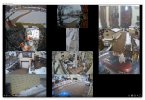
Waking from sleep:
After reloading the page:
That sounds like a browser bug honestly. Like it wakes from sleep, gets resized, and then does not fire the correct events to notify the page of the change.

Bruce_H
Getting comfortable
A user on the BI software forum brought to my attention a possible problem with V6.0.1.8 aand UI3. It seems if an alert is deleted in UI3, it immediately removes it from BI but the UI3 screen does not update and leaves a "greyed out" place holder of the deleted alert, a refresh of the browser window fixes the display, I have only tested this using the chrome browser so I am not sure if it is only a chrome problem or not, I will test it on MS Edge and post back, I do not have a system with Firefox at the moment to test