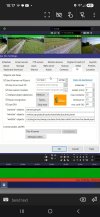
Post a screenshot of the Main IA settings, the to confirm needs to be blank.I even tried plate as a to confirm and plate,car,truck fyi
Post a screenshot of the Main IA settings, the to confirm needs to be blank.I even tried plate as a to confirm and plate,car,truck fyi
Ok and sorry apparently it didn't attach in the previous post.Post a screenshot of the Main IA settings, the to confirm needs to be blank.
Remove DayPlate,car,truck, This should make the ALPR work.Ok and sorry apparently it didn't attach in the previous post.

ok ill try that
Still nothing. This wouldn't be a issue that im still on 5.9.9.9
I do not think so, post a screenshot of a canceled alert like the below screenshotThis wouldn't be a issue that im still on 5.9.9.9


You can download the models that come with Blue Iris from the below link. Change the file extension from exe to zip and then you can open it with WinRAR or WinZip. Most of the models are still my old models.Mike (@MikeLud1),
I'm still on 5.9.9.89 running CPAI. I know your focus is on the built-in AI in Blue Iris v6. Is there a way to get your models for BI6 and use them in BI5 using CPAI and this YOLO11 .NET module?
In particular, what models have you regenerated for BI6 and where are they located? I couldn't find them in your GitHub.

You can find them at the below linkThe one that I'm really looking for is IPcam-combined.onnx with the different vehicle types (truck, car, van, bicycle, etc.) and animals (cat, dog, bird, etc.)

I only see the v5 versions.You can find them at the below link
MikeLud/ObjectDetectionYOLO11-ONNX at main
We’re on a journey to advance and democratize artificial intelligence through open source and open science.huggingface.co
They work with my ObjectDetectionYOLO11 module, I have not trained these models with YOLO11I only see the v5 versions.
Right, I understand that. But you asked which one I'm hoping you'll retain for YOLO11 and that would be it. And I've seen prior requests for the same.They work with my ObjectDetectionYOLO11 module, I have not trained these models with YOLO11
Do not use main stream images for AI, it does not improve accuracy, it only slows down the detection.sending main stream images
I will uncheck all the mainstream boxes on the cam settings in BI. I had tested back and forth in the past several times and it must not have effected inference times enough for me to bother. Reducing the times is a good thing, but I don't think that would account for the discrepancy in performance between BI and CPAI in my case. Your yolo11.net with ipcam-combined-v5 and ipcam-dark-v5 are still giving me better performance across the board. With BI adding WinML, my hope in moving away from CPAI was to remove one link in the chain and ease management of the system. CPAI installs fine today, but who knows in the future if that will be the case. Good thing for full system backups. Thanks!Do not use main stream images for AI, it does not improve accuracy, it only slows down the detection
I have another question related to this. I have mainstream images turned on to get high quality images sent in alerts. Is this fixed now where I can use the substream for AI detection, but still get the HQ image for sending with the alert?Do not use main stream images for AI, it does not improve accuracy, it only slows down the detection.
I just switched a bit ago, and in UI3 when I right click on an alert and hit properties, the image size recorded is the smaller substream resolution. You scrached an old memory and one of the reasons in the past I had left mainstream images on was so that saved image would be at the full 8mp size. It's an unfortunate tradeoff still I think.I have another question related to this. I have mainstream images turned on to get high quality images sent in alerts. Is this fixed now where I can use the substream for AI detection, but still get the HQ image for sending with the alert?